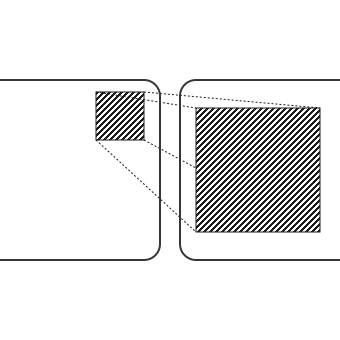
To use the API, you need to opt in by adding following CSS to each page:
@view-transition {navigation: auto;}
This enables the default cross-fade animation — decreasing and increasing opacity of outgoing and incoming elements.
Each example's CSS and JavaScript is unminified and embedded within the HTML file:
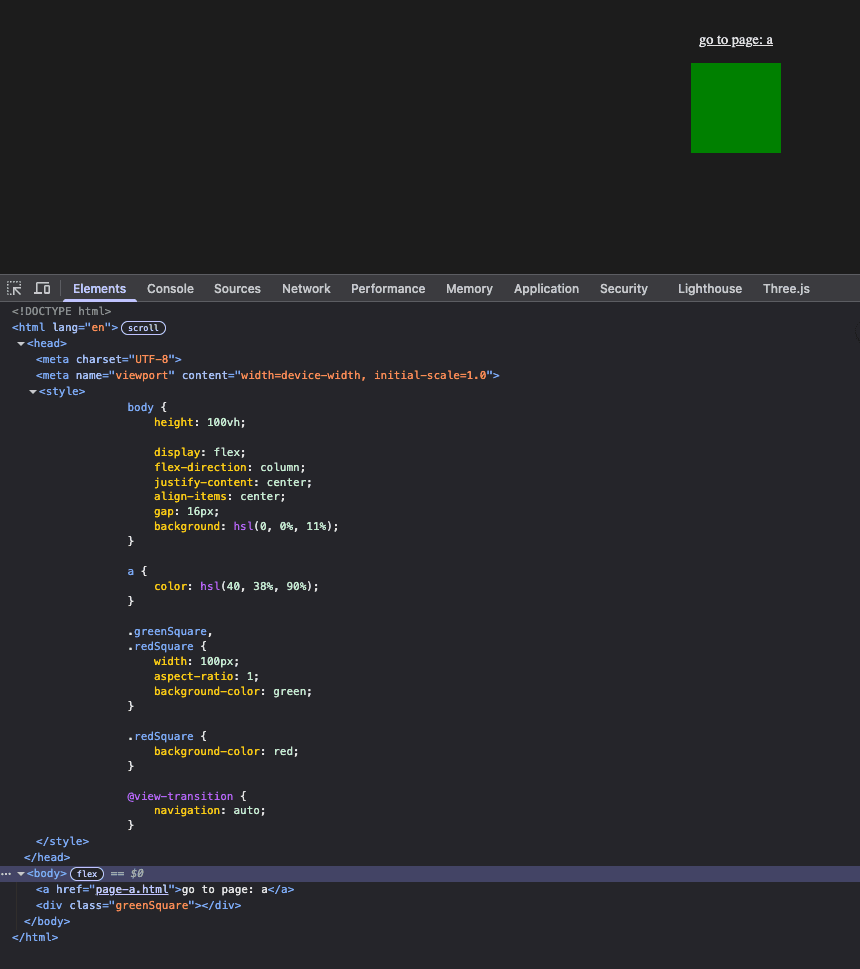
We can change the default animation using CSS selectors:
@keyframes fade-in {from {opacity: 0;}}@keyframes fade-out {to {opacity: 0;}}@keyframes slide-to-left {to {translate: -120px;}}@keyframes slide-from-right {from {translate: 120px;}}/* Set the animation for outgoing page elements */::view-transition-old(root) {animation:slide-to-left 1s,fade-out 1s;}/* Set the animation for incoming page elements */::view-transition-new(root) {animation:slide-from-right 1s,fade-in 1s;}
We can also change the animation based on what page we are navigating to. The below example slides elements left when navigating to page A and right when navigating to the index page. It uses:
pageswap: an event fired on the outgoing page (before the last frame is rendered).pagereveal: an event fired on the incoming page (after it has been initialized but before the first render).window.navigation: a property to obtain URLs (limited availability). This could be replaced by storing the URL in sessionStorage on the outgoing page and then reading it on the incoming page.:root {--transition-old: slide-to-left 1s, fade-out 1s;--transition-new: slide-from-right 1s, fade-in 1s;--transition-old-reverse: slide-to-right 1s, fade-out 1s;--transition-new-reverse: slide-from-left 1s, fade-in 1s;}::view-transition-old(root) {animation: var(--transition-old);}::view-transition-new(root) {animation: var(--transition-new);}
function isReverseTransition(toURL) {/* Using endsWith because I'm iframing the page *//* return toURL.pathname === "/index.html"; */return toURL.pathname.endsWith("/index.html");}async function setTemporaryReverseTransition(transitionPromise) {const root = document.documentElement;root.style.setProperty("--transition-old","var(--transition-old-reverse)",);root.style.setProperty("--transition-new","var(--transition-new-reverse)",);await transitionPromise;// Clean uproot.style.removeProperty("--transition-old");root.style.removeProperty("--transition-new");}function onTransition(toURL, evt) {if (isReverseTransition(toURL)) {setTemporaryReverseTransition(evt.viewTransition.finished);}}window.addEventListener("pageswap", async (evt) => {// Not used: just demonstrating how to accessconst fromURL = new URL(evt.activation.from.url);const toURL = new URL(evt.activation.entry.url);onTransition(toURL, evt);});window.addEventListener("pagereveal", async (evt) => {const toURL = new URL(window.navigation.activation.entry.url);/* evt.viewTransition doesn't exist on page load (pagereveal will trigger on page load) */if (evt.viewTransition) {onTransition(toURL, evt);}});

WARNING: The pagereveal event listener needs to execute before the first rendering opportunity. Therefore it must be registered in a classic parser-blocking script in the <head> (not a module, async or defer). If you need to use module or async, mark it as render-blocking by adding blocking=render.
We can connect elements on different pages by giving both the same view-transition-name.
This results in an animation where the outgoing element morphs into the incoming element.
.greenSquare {width: 100px;aspect-ratio: 1;margin-right: 240px;background-color: green;view-transition-name: my-transition;}.redSquare {width: 200px;aspect-ratio: 1;margin-left: 240px;background-color: red;view-transition-name: my-transition;}
We can use more than one animation during a transition. Below I've:
my-transition — used by the squares..greenSquare,.redSquare {...view-transition-name: my-transition;}::view-transition-old(root) {animation-duration: 2s;}::view-transition-new(root) {animation-duration: 2s;}::view-transition-old(my-transition) {animation:slide-to-left 1s,fade-out 1s;}::view-transition-new(my-transition) {animation:slide-from-right 1s,fade-in 1s;}
An ideal use case for the View Transition API is animating from a menu to a selected item page. The menu has a small image that enlarges on the item page. This can be achieved by:
view-transition-name to the image element.view-transition-name to a menu item's image:pagereveal event.async function setTemporaryReverseTransition(elem,transitionPromise,) {elem.style.viewTransitionName = "my-transition";// Cleanupawait transitionPromise;elem.style.removeProperty("view-transition-name");}window.addEventListener("pagereveal", async (evt) => {const fromURL = new URL(navigation.activation.from.url);const { pathname } = fromURL;const parts = pathname.split("/");const anchor = document.querySelector(`a[href="${parts.pop()}"]`,);// Required because pagereveal event triggers on initial page loadif (!anchor) return;const sibling = anchor.nextElementSibling;setTemporaryReverseTransition(sibling,evt.viewTransition.finished,);});// Add transition name to square when anchor clickeddocument.addEventListener("DOMContentLoaded", () => {const anchors = document.querySelectorAll("a");anchors.forEach((anchor) => {anchor.addEventListener("click", (evt) => {// Capture the squareconst sibling = anchor.nextElementSibling;sibling.style.viewTransitionName = "my-transition";});});});

An issue with the View Transition API is animating elements contained in a parent with overflow: hidden will break out during a transition.
Below the squares are contained within a circular div with overflow: hidden.
When the transition occurs, the squares break out of the circle.
Have any feedback about this note or just want to comment on the state of the economy?